일반 설치
pip install PyQt5
설치 메시지
Defaulting to user installation because normal site-packages is not writeable
Collecting PyQt5
  Using cached PyQt5-5.15.10-cp37-abi3-win_amd64.whl.metadata (2.2 kB)
Requirement already satisfied: PyQt5-sip<13,>=12.13 in c:\users\psalm150\appdata\local\packages\pythonsoftwarefoundation.python.3.12_qbz5n2kfra8p0\localcache\local-packages\python312\site-packages (from PyQt5) (12.13.0)
Requirement already satisfied: PyQt5-Qt5>=5.15.2 in c:\users\psalm150\appdata\local\packages\pythonsoftwarefoundation.python.3.12_qbz5n2kfra8p0\localcache\local-packages\python312\site-packages (from PyQt5) (5.15.2)
Using cached PyQt5-5.15.10-cp37-abi3-win_amd64.whl (6.8 MB)
Installing collected packages: PyQt5
  WARNING: The scripts pylupdate5.exe, pyrcc5.exe and pyuic5.exe are installed in 'C:\Users\psalm150\AppData\Local\Packages\PythonSoftwareFoundation.Python.3.12_qbz5n2kfra8p0\LocalCache\local-packages\Python312\Scripts' which is not on PATH.
  Consider adding this directory to PATH or, if you prefer to suppress this warning, use --no-warn-script-location.
Successfully installed PyQt5-5.15.10
참고 사이트
공식 installation 페이지
https://www.riverbankcomputing.com/static/Docs/PyQt5/installation.html
Installing PyQt5 — PyQt Documentation v5.15.7
Installing PyQt5 Both the GPL and commercial versions of PyQt5 can be built from sdists or installed from binary wheels. Although this section concentrates on PyQt5 itself it applies equally to the add-on projects (e.g. PyQt3D, PyQtNetworkAuth etc.). Under
www.riverbankcomputing.com
소스코드
https://sourceforge.net/projects/pyqt/
PyQt
Download PyQt for free. The GPL licensed Python bindings for the Qt application framework. PyQt is the Python bindings for Digia's Qt cross-platform application development framework. It supports Python v2 and v3 and Qt v4 and Qt v5.
sourceforge.net
다운로드
https://www.riverbankcomputing.com/software/pyqt/download
Riverbank Computing | Download
PyQt6 PyQt5 SIP MetaSIP PyQt-builder pyqtdeploy QScintilla PyQt4
www.riverbankcomputing.com
설치 후 아래 코드를 실행하면
import sys
from PyQt5.QtWidgets import *

if __name__ == '__main__':
    app = QApplication(sys.argv)
    ex = QWidget()
    ex.setWindowTitle('Hello')
    ex.move(300,300)
    ex.resize(400,200)
    ex.show()
    sys.exit(app.exec_())
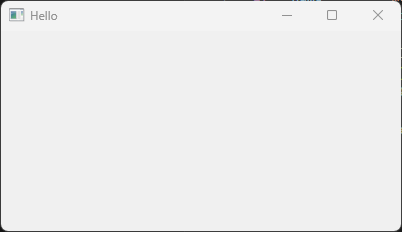
아래와 같은 창이 만들어진다.
지우고 싶으면
pip uninstall PyQt5'파이썬' 카테고리의 다른 글
| [Python 예제] config 파일 읽기 코드 작성. ChatGPT 비교 (0) | 2024.03.10 |
|---|